My DIY Website Odyssey: Five lessons I've learned (the hard way)


Coding my own website was an idea I first had in adolescence.
The idea has appeal, no? Whether you're building a portfolio or simply curating your online presence, it gives you a platform to share your creativity with the world. I thought it would be a "cool" thing to do. Maybe you've had the same thought too. Anyway, my thought remained a thought for a long time, until I shared a house with a software engineer. I took interest in their work, we talked tech and I saw the finished product. I was inspired.
I decided to take on the challenge.
In January 2023, I leased a domain, fired up my laptop and put myself to the test. One year later, I stand before you a man who has endured many struggles. But through struggle, comes growth.
Website development is complicated. Coming at it fresh is overwhelming. But when it works, it is incredibly rewarding. Not to mention, it's the number one in-demand skill for 2024 according to this Forbes article.
In this blog, I want to share with you 5 lessons I've learned (the hard way) during my struggle for understanding. These lessons can be applied to the learning of any new discipline. So, you brave souls beginning your odyssey, take heed!
1. Know the Fundamentals
When Odysseus began his journey home to Ithaca, he did not intend the detour through Ibiza. This route was largely determined by his enraging the gods. When charting your course home, you should take care not to offend the gods and plot a route of safe passage. But in uncharted territory, how can you know which passage is safe?
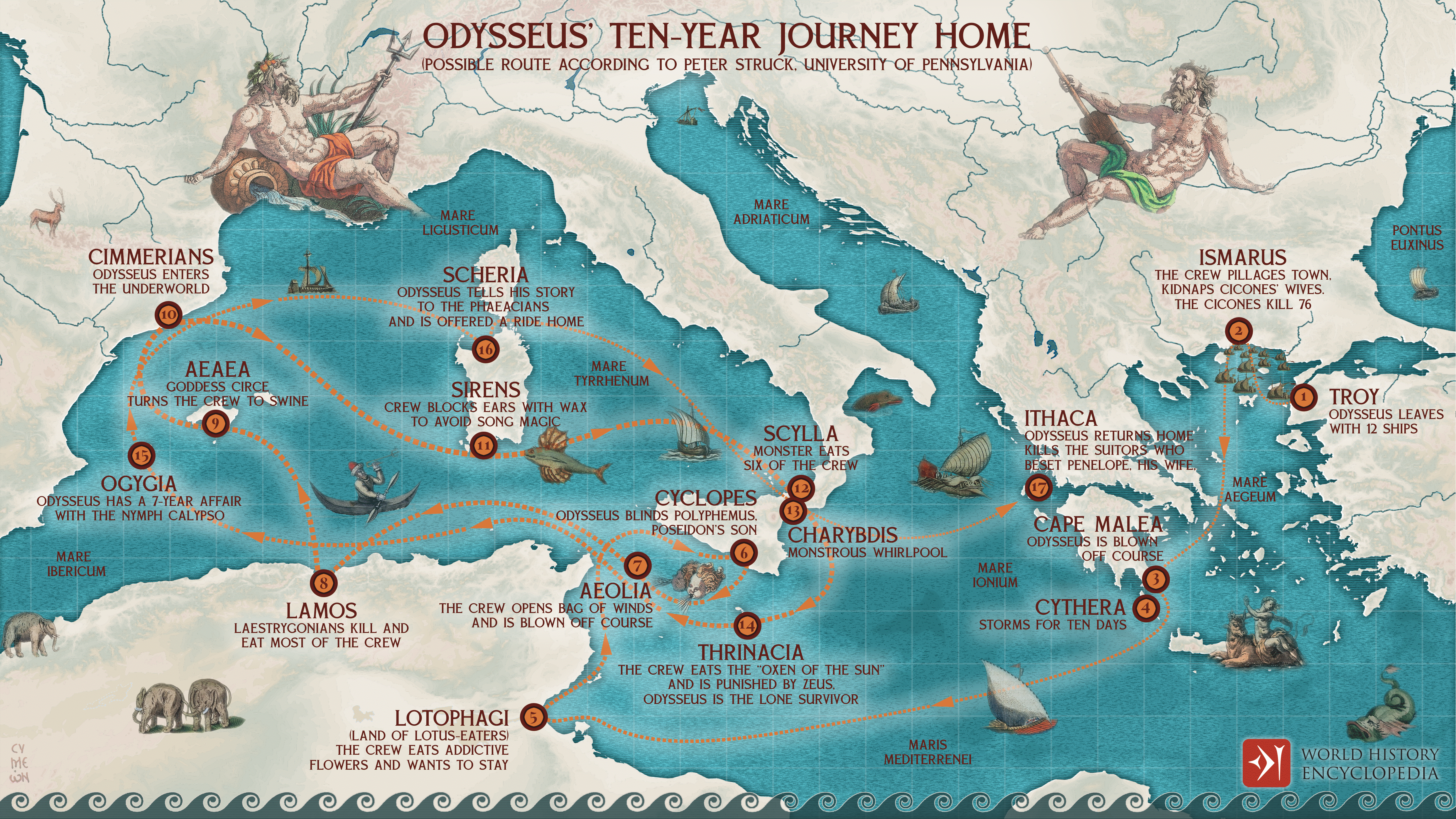
A map showing Odysseus' journey home to Ithaca from Troy, according to the historian Peter Struck.
Fortunately for us, we live in a charted world. With the right information to guide us, each of us can find our way - and there is always more than one path. Whichever path you take will present obstacles, but some will lead to your destination sooner. So before you begin your odyssey, you need to decide what's important to you; the journey, or the end-result.
For me, it was the journey. I find that experiences, challenges and the connections you make along the way are even more fulfilling than the end-result. Having said that, the best projects have clear destinations. So once you've created yours, how do you set-off on the right foot?
You wouldn't build a house without first laying the foundations. Likewise, if you're going to code your own website, you should spend some time learning the basics.
A website is composed of 3 languages: HTML, CSS and JavaScript. Much like spoken languages, you can get by with a few words. Let's dive in.
HTML is the raw material from which your website is built. The bricks, doors, windows and roof on your house. To figure out which building blocks you'll need to make your website, check out these resources.
Unfortunately, knowing which components make-up a house doesn't make you an architect. What counts is how you put them together. This is where CSS comes in. If HTML is your brick exterior, then CSS is their colour, position in space and the mortar that binds them. Explore this quick-start guide for an overview.
A modern home won't be just bricks and mortar - we're in the digital age after all! If JavaScript were a part of your house, then it would be your smart outdoor lighting. On approaching your front door, movement triggers the sensor and the lights automatically switch on. The key thing to understand here is that JavaScript responds to a user stimulus.
You know those annoying pop-ups that flash on-screen when you try to exit a page? Yes - JavaScript is to blame. It's the hardest of the three languages to learn, but don't worry, if you can describe the problem to be solved - that's what ChatGPT is for (more on that later)! For a crash course on the basics of JavaScript, click here.
What I found most difficult to grasp is how to position elements on a page. In PowerPoint or Word, you can easily move objects around with a wave of your cursor. Not so in CSS. Don't even mention designing for multiple screen sizes! A lot of this learning will be trial and error, but I wish I'd seen these resources before starting out!
Don't get me wrong, there is no replacement for hands-on learning. Training will only get you so far. But understanding the fundamentals will start your journey in the right direction!
2. Choose your Weapon
I love data visualisation, and wanted to build a website where I could display my graphics work alongside blog content and CV. I have a background in Tableau but was keen to explore web native technologies. In order to make data visualisations interactive on web page, you must choose your weapon from the JavaScript arsenal. These days, such weapons are JavaScript frameworks.
Let's take another analogy.
Imagine our website developer is a chef in a lonely kitchen. On his own, he can serve up dishes of interactive functionality, although it takes him a long time without good equipment. But give him modern kitchen appliances like an oven or a blender, and his cooking becomes much more efficient. With these tools, our chef can create more sophisticated recipes to satisfy a restaurant full of hungry diners! This is the power of JavaScript frameworks. They enable the rapid development of complex websites.
For this website, I chose to develop the interactive elements using the JavaScript framework Svelte. It was created by fellow UCL alumnus Rich Harris when he worked as graphics editor for the New York Times. Built with the primary purpose to make his everyday work easier, the developer experience for data visualisation is a key focus. I was sold.
When I started, I didn't appreciate the risks I was taking through this choice. Jumping directly into a framework without understanding the basics was a steep learning curve. Remember, I had no previous JavaScript experience!
What's more, Svelte is a new framework. The cool thing about it optimises website performance by shifting work traditionally done by your browser into a compile step when you deploy your app. This results in faster websites. What’s annoying is, being a new framework, it is currently used by a small community of developers. This point is nicely illustrated by recent developer surveys which show that Svelte has yet to be adopted in the workplace.
Svelte is one of the least used JavaScript frameworks in the workplace, according stackoverflow developer surveys between 2020-2023.
As a result, the ecosystem of supporting libraries and integrations is embryonic. I found many of these to be buggy or not work at all. As a beginner, I assumed that I was doing something wrong and blamed myself. These challenges induced eyebrow rubbing stress, but they also instilled problem-solving skills and perseverance.
Fewer active developers means less community support. So when you get stuck, which I inevitably did, finding the answers is a difficult task. It's a miracle that I've got any eyebrows left! Just look at the difference in volume of questions posted on stackoverflow between Svelte and React over the years:
A timeseries of questions submitted by stackoverflow on React vs Svelte.
The lesson is this. Your choice of tech stack will determine which obstacles you face on your journey. Being a data viz nerd, I'm happy I chose Svelte - despite the bumps along the way. But if you're a beginner starting out who wants to go from zero to hero via the shortest route possible, I'd recommend choosing React. There are a wealth of free tutorials and online support - plus it's widely used in the industry. In an age where JavaScript frameworks are going out of fashion like MySpace in 2008, I advise you to choose wisely.
3. Use ChatGPT as a productivity enhancer
So, onto the question you are all thinking. Is this website actually ChatGPT's handiwork? If you check my credit history, will you find a $20 a month subscription to ChatGPT Plus?
If things were that easy, this project would have been finished quicker! The truth is, Language Learning Models like ChatGPT are great at solving well-defined problems. But with language, context is king. The broader the context-space of your problem, the less likely you will receive a relevant answer. Let me give you an example.
A modern website is a codebase describing the form and function of your content. It is a massive collection of libraries, frontend frameworks, APIs and third-party integrations. All of which have different versions and dependencies. Sometimes, despite following all the set-up correctly, you get errors.
Diagnosing these errors requires a technical understanding of the application stack, access to the source code and familiarity with the problem domain. This is a tall ask for an AI. Especially in a prompt with a 700-word limit.
Did I still try to use ChatGPT to fix these problems for me?
Absolutely.
But there becomes a point where you realise you've gone round in circles. It's helpful to take stock when this happens and understand the types of questions that may lead you into an unfruitful sparring match with a machine.
Making a website is highly context specific. So it is important to know the sorts of questions that ChatGPT can answer well. Here are some criteria that have worked well for me:
- Discrete: given a concrete task, with all the required information in the prompt, ChatGPT will perform wonders.
- Explanatory: found some code or a concept you don't understand? Ask ChatGPT to explain it to you!
- Corrective: broken your code but can't figure out why? Ask ChatGPT to fix it for you!
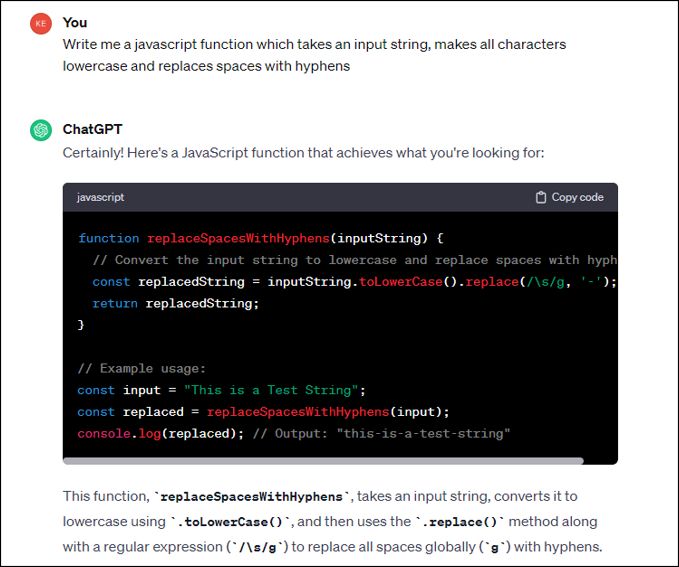
Prompt: Write me a JavaScript function which takes an input string, makes all characters lowercase and replaces spaces with hyphens.
Conversely, it is even more important to know what questions ChatGPT is NOT good at answering. Knowing the difference will save you hours of keyboard frustration:
- Context dependent: there could be 1000 reasons why you're getting that TypeScript Error. The answer will depend on how you've set-up your project. You can't fit all that information in a single prompt! Asking questions to which you don't give context will mostly result in unhelpful responses.
- Developments after January 2022: the free version of ChatGPT was trained on internet data up to January 2022. Any knowledge posted thereafter cannot be given to you. This is bad news for new frameworks like Svelte!
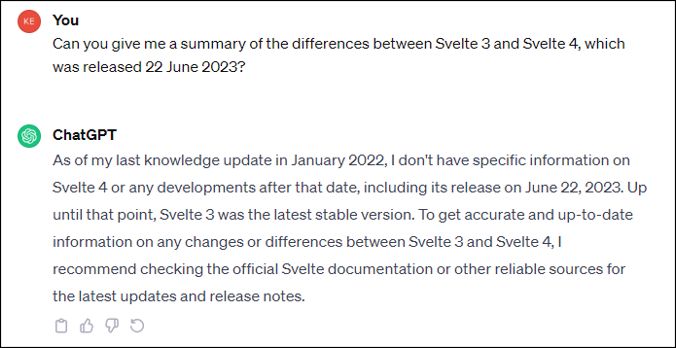
Prompt: Can you give me a summary of the differences between Svelte 3 and Svelte 4, which was released 22 June 2023?
The pre-cursor to all of these tips is this: the quality of your prompt determines the quality of your output. I won't go into details here, but if you're interested in the criteria for a quality prompt, check out this quick guide to get you started.
ChatGPT is not a golden bullet. Anyone telling you otherwise has boarded the hype train and missed their stop. Consider ChatGPT as your assistant. It is there to increase your productivity and advise you on the best course of action. But ultimately, you are the decision-maker. Take it with a pinch of salt!
4. Find a Mentor
Website development is complicated. Coming at it fresh is overwhelming. The value of a mentor who you can count on cannot be understated.
In my hour of greatest need, when ChatGPT and basic knowledge failed me, I had someone I could call on. I can say with 100% certainty that I would not have completed this project without my mentor.
Big shout-out to Sensei Rowland Williams for his support! Check out his work here.
He who travels alone travels fastest, but in the company of friends you go farther.
5. Scope creep
Doing a solo project, there is no one to tell you what tasks to prioritise. There are no customers to tell you what timescales are acceptable for a resolution. In a solo project, you only have yourself to rely on.
For some, this might not be an issue. For me, it was.
I'm an obsessive. Once I get fixated on something, I find it hard to break away. Having an external party, like a delivery manager at work, helps me to compartmentalise a problem and prioritise what to address first. Left to my own devices, I stuck to my obsessive tendencies.
Looking at other websites for inspiration is a great way to discover the aesthetic you are looking for. I recommend you do the same. I did this a lot at the start, and saw some features that I really liked. I wanted them - even if they weren't strictly needed. I spent time learning how to code some cool features, that in the end I scrapped. That time would have been better spent on higher priority items!
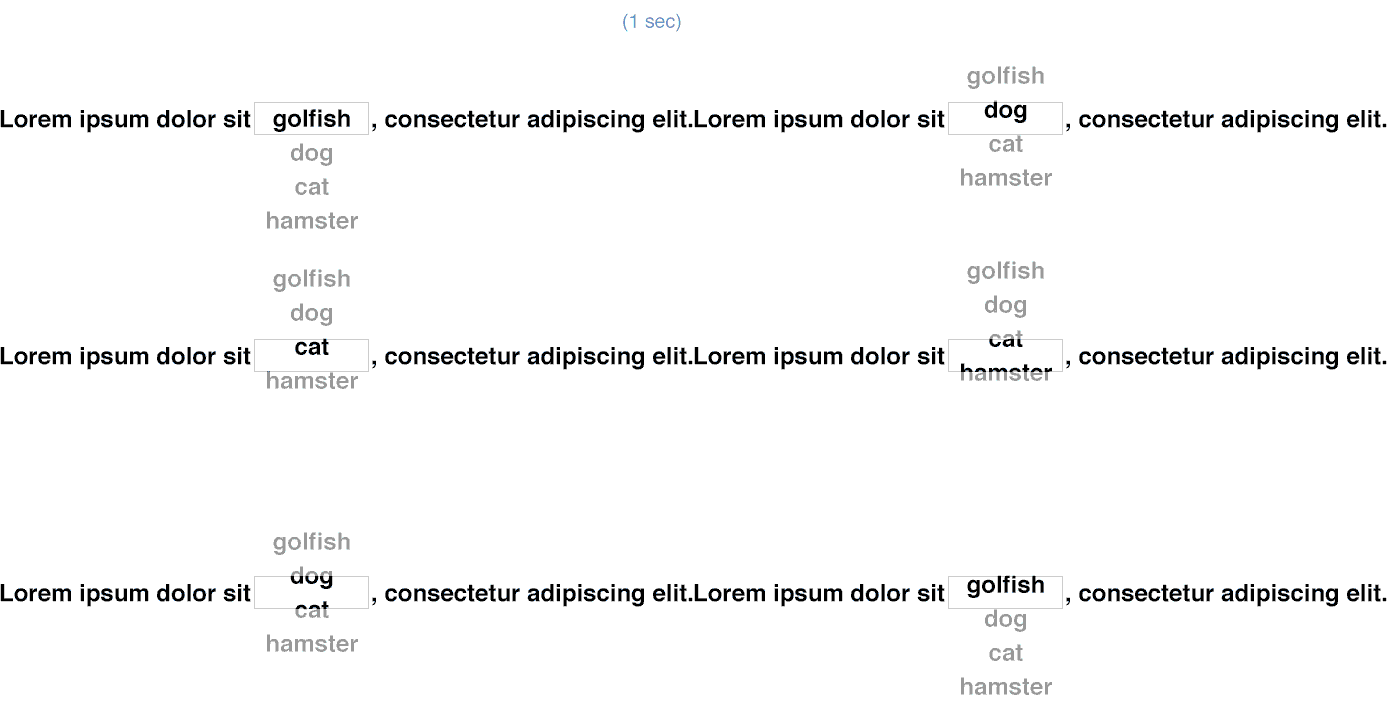
Example of text changing on a timer. This is a JavaScript animation I saw, liked, re-created and eventually binned.
One could argue that this exercise is all part of the learning journey - and there is truth in this. I enjoyed getting sucked in. But it came at a time-cost, because I prioritised fun and curiosity over other things. And because I couldn't accept 'failure' as an option!
To tell the truth, it's a lesson I'm still learning. You'll be pleased to know that I've set-up a Trello board with swim lanes in my attempts to maintain self-discipline! I've also bought a productivity journal to time-box my activities within reasonable limits, but still battle to do it consistently!
These are the 5 lessons that I've learned - or am still learning. I've got plenty of work to do before I achieve my vision for the site. But as I've hinted at, I'm not in it for the quick win. I'm in it for the journey!